CESolver + CEViewer
High-performance postflop solver engine paired with a next-generation desktop client. Faster convergence, ultra-compact storage, real-time GTO analysis, AI-powered intelligence, and stunning visualizations.
Solve a spot. Convert to a coached lesson with audio and synced visuals. One click.
Text and audio in English · Español · हिन्दी · Русский · Português · Français · Deutsch · 日本語 · 한국어 · 中文 · Italiano · العربية · Türkçe · Nederlands · Polski · Tiếng Việt · ไทย · Indonesia
Intelligence Engine
This is where CEViewer breaks from every other solver on the market.
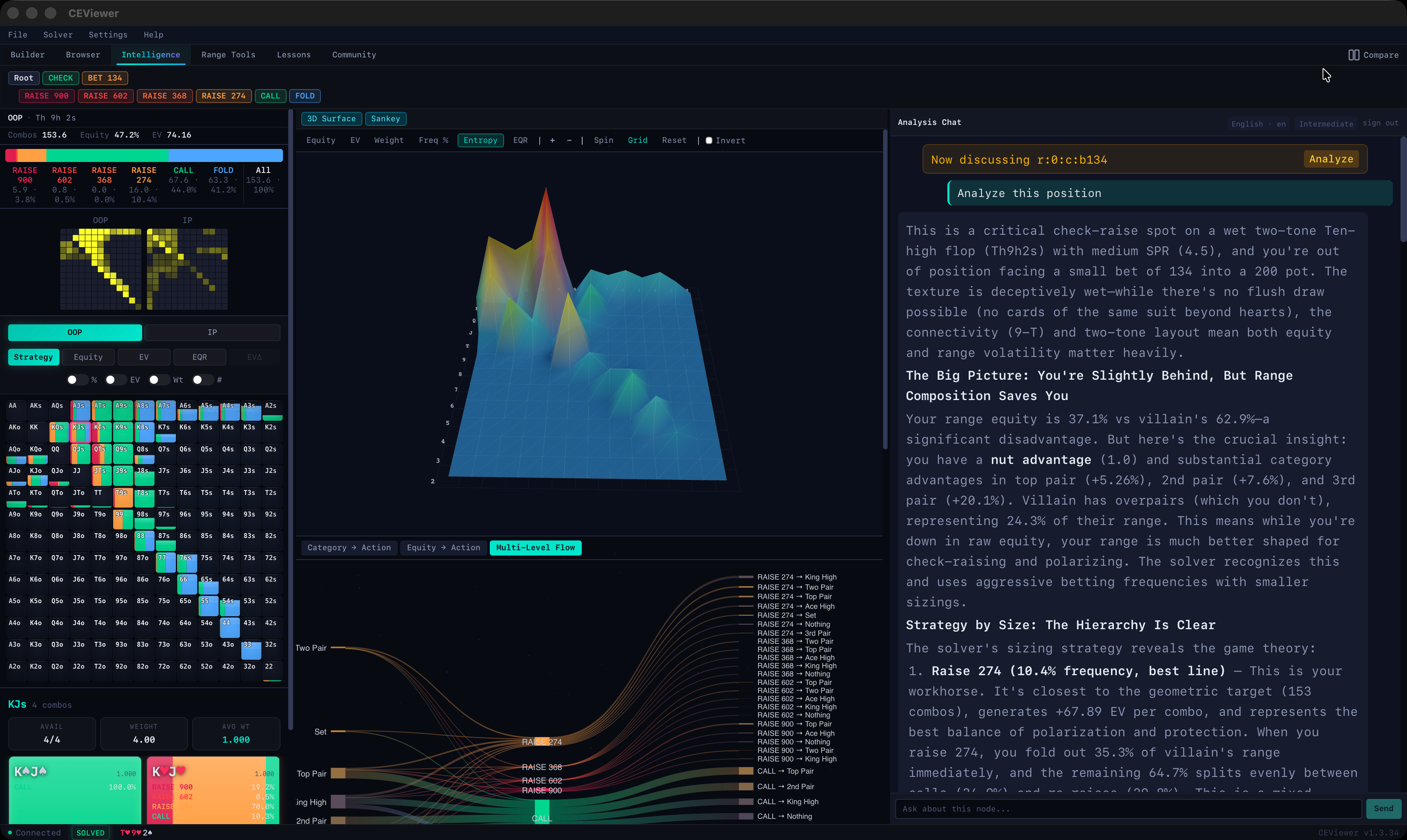
Navigate to any decision point and CEViewer captures the complete solver state — strategy frequencies for all 1326 combos, both players' ranges, equity, EV, and every available action. That snapshot powers an AI that doesn't just read numbers. It understands the position.
Ask Anything at Any Node
"Why does AKo check here?" "What's the betting range made of?" The AI sees the full solver output — which hands bet, which check, at what frequency, and why — and streams back a detailed explanation in real-time.
Four analysis tiers from quick overview to deep strategic reasoning. English, Spanish, French, Mandarin, and more.
One-Click Lesson Generation
This is the feature that changes how you study.
When the AI produces an analysis you like, one click converts it into a full interactive lesson — narrated, visualized, and synced. The system generates 50+ visual assets directly from the solver state:
- Strategy grids filtered per-action — "just the betting range"
- Equity, EV, and EQR heatmaps
- EV-diff comparisons — see where one line outperforms another
- Category breakdowns — made hands vs draws vs air
- Combo spotlights — 5 most interesting mixed-strategy hands
- 3D surfaces, Sankey flows, equity histograms
- OOP vs IP range comparisons
Each segment pairs narration with a synchronized visualization. When the lesson says "notice how top pair always bets," the grid highlights top pair with the bet action filtered. The lesson drives the UI.
Solve a spot. Ask the AI to explain it. Convert to a coached lesson with audio and synced visuals. One click. No other solver does this.
Strategy Browser
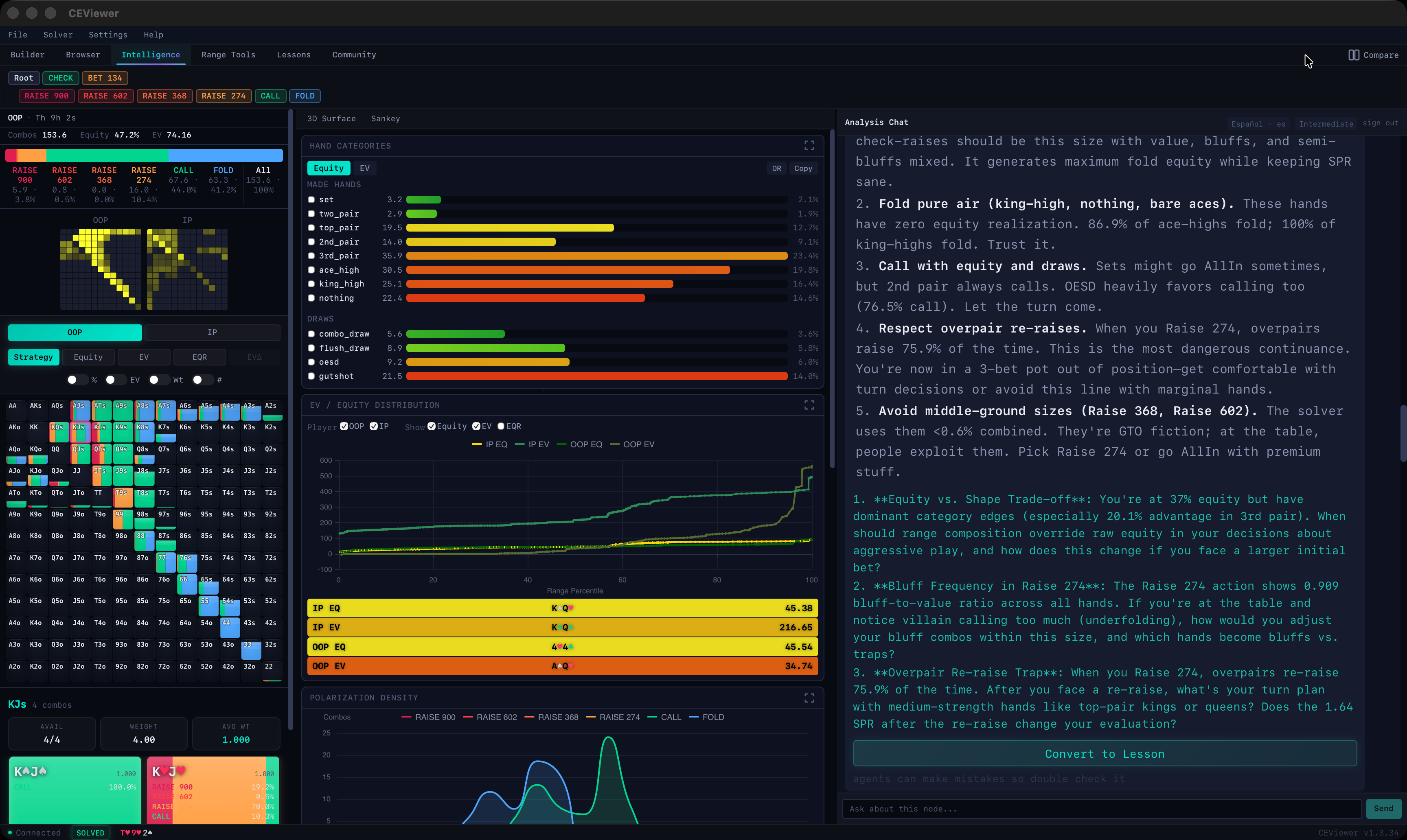
Navigate solved game trees with instant visual feedback. The 13x13 hand grid renders every combo's strategy at a glance.
- Four display modes — Strategy, Equity, EV, EQR
- EV-Diff mode — compare expected value between actions
- Color-coded action bars with combo counts
- Click any cell for per-combo EV, equity, hand strength
- Keyboard-first navigation with PioViewer-compatible shortcuts
- Node locking, strategy editing, and pin actions
EV Heatmap & Compare Mode
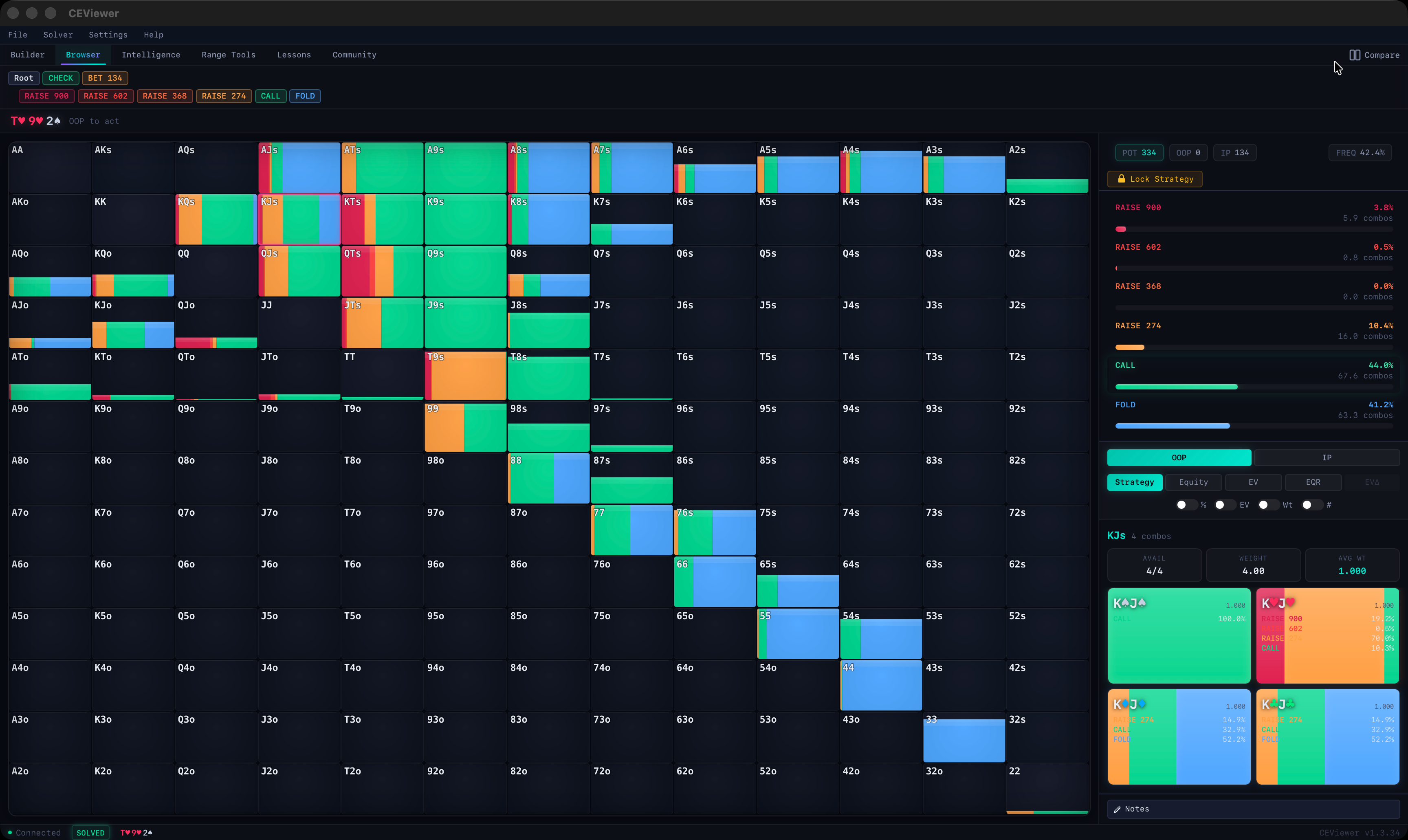
Switch to EV view for expected value heatmaps across the entire hand matrix. Open two browser instances side-by-side with independent navigation but a shared solver connection.
- Grid overlays — %, EV, weighted combos, combo count
- Breadcrumb navigation through the decision tree
- Lock Strategy to fix decisions at specific nodes
- Compare mode for side-by-side line analysis
Intelligence Explorer Workspace
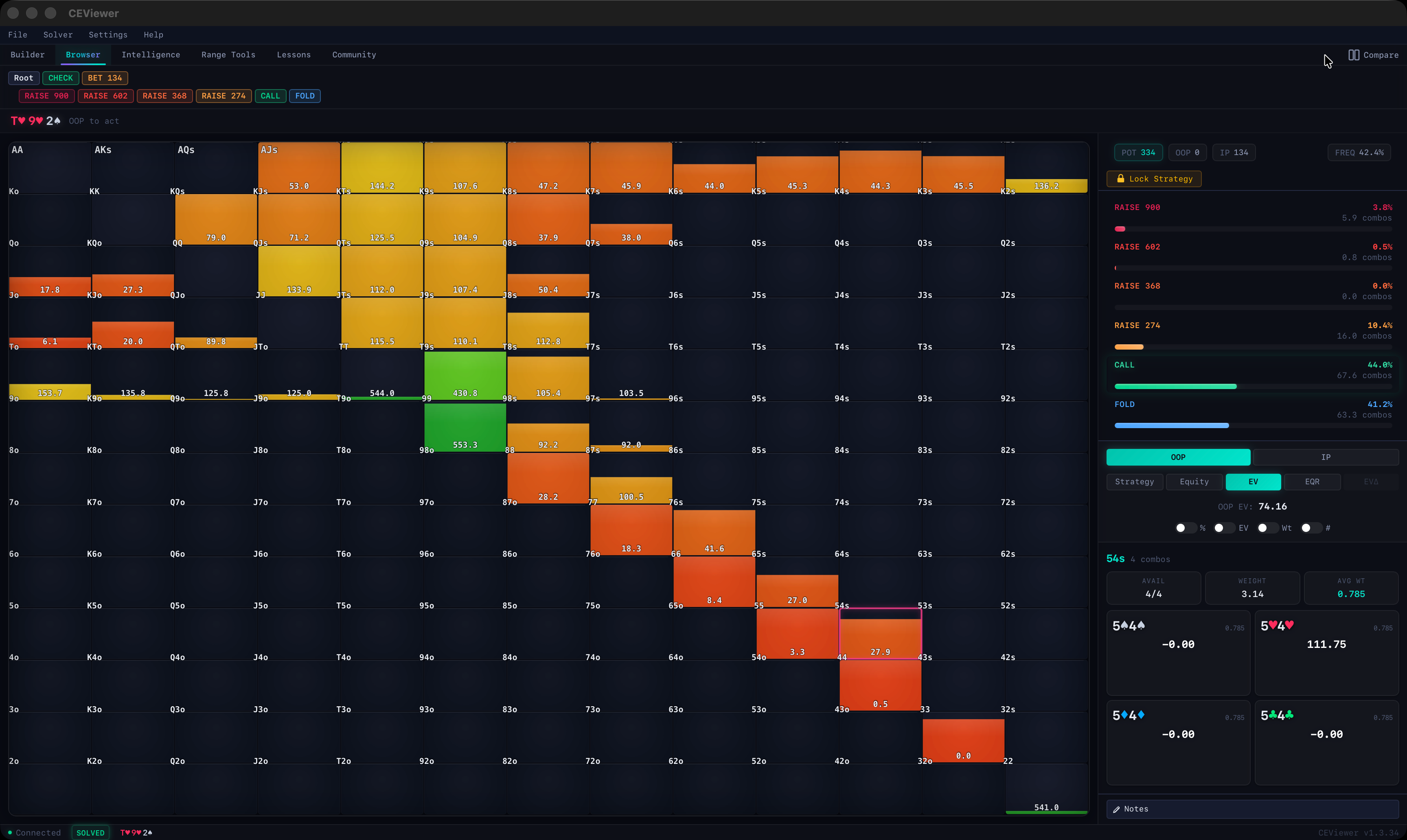
A three-panel layout built for deep analysis. Drag dividers to give more space to what matters.
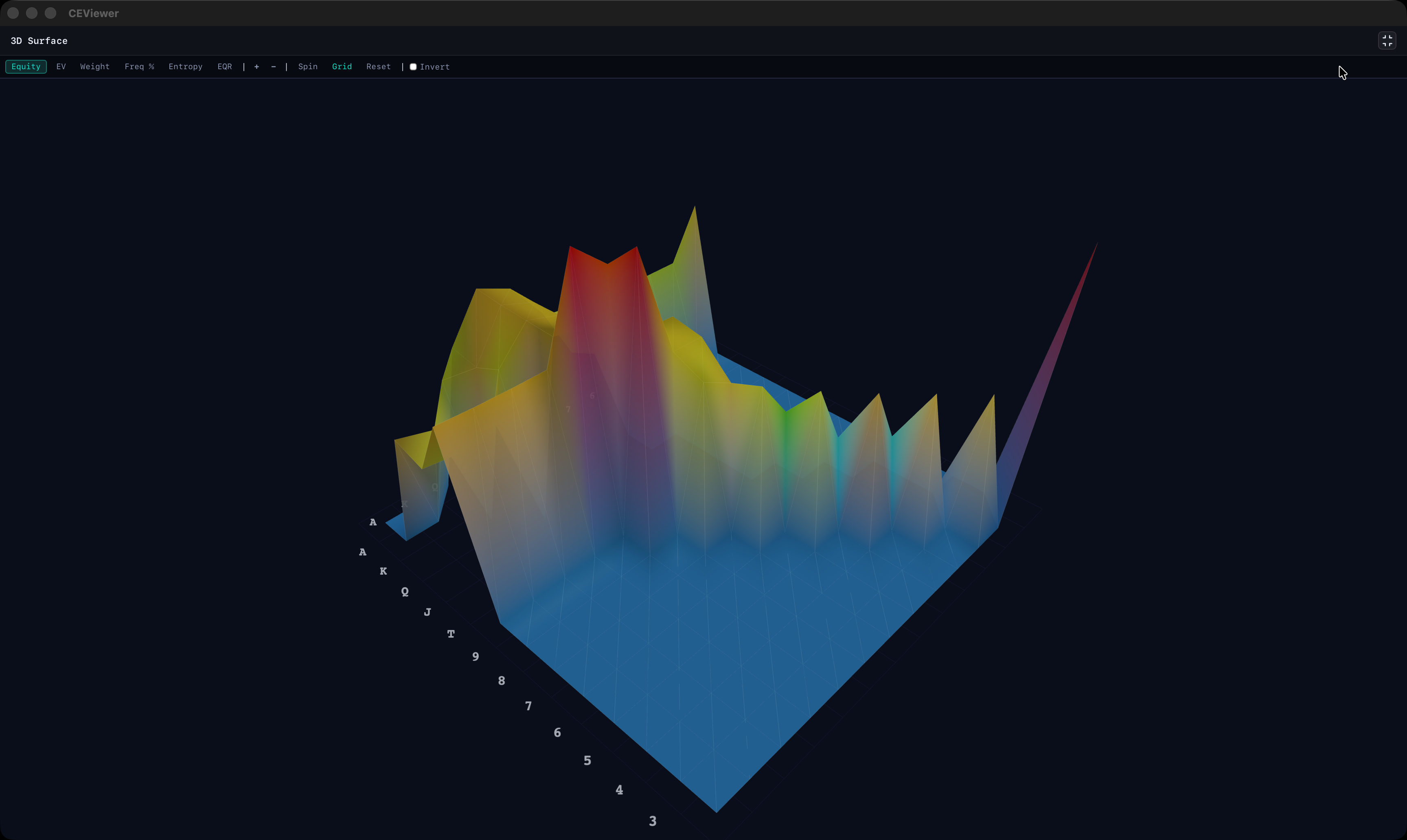
- 3D Surfaces — Interactive terrain mapping the full hand matrix. Equity, EV, entropy, EQR. Rotate and zoom from any angle
- Sankey Flows — Hand categories flowing through actions into equity buckets. Range construction at a glance
- Range Categories — Equity curves and stacked breakdowns by hand strength
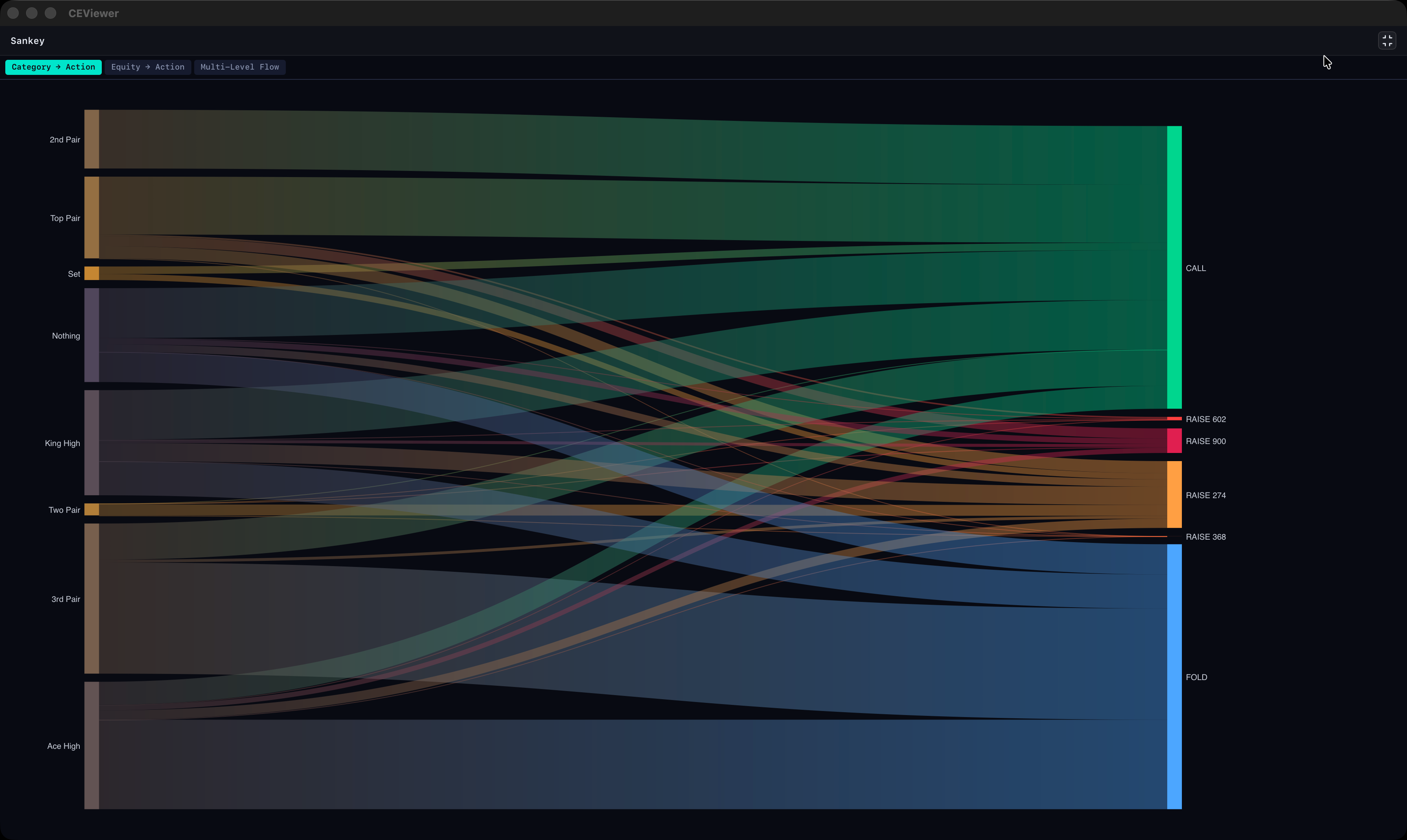
Multi-Level Sankey Flow
Hand categories flowing through actions — proportional flows that reveal range construction.
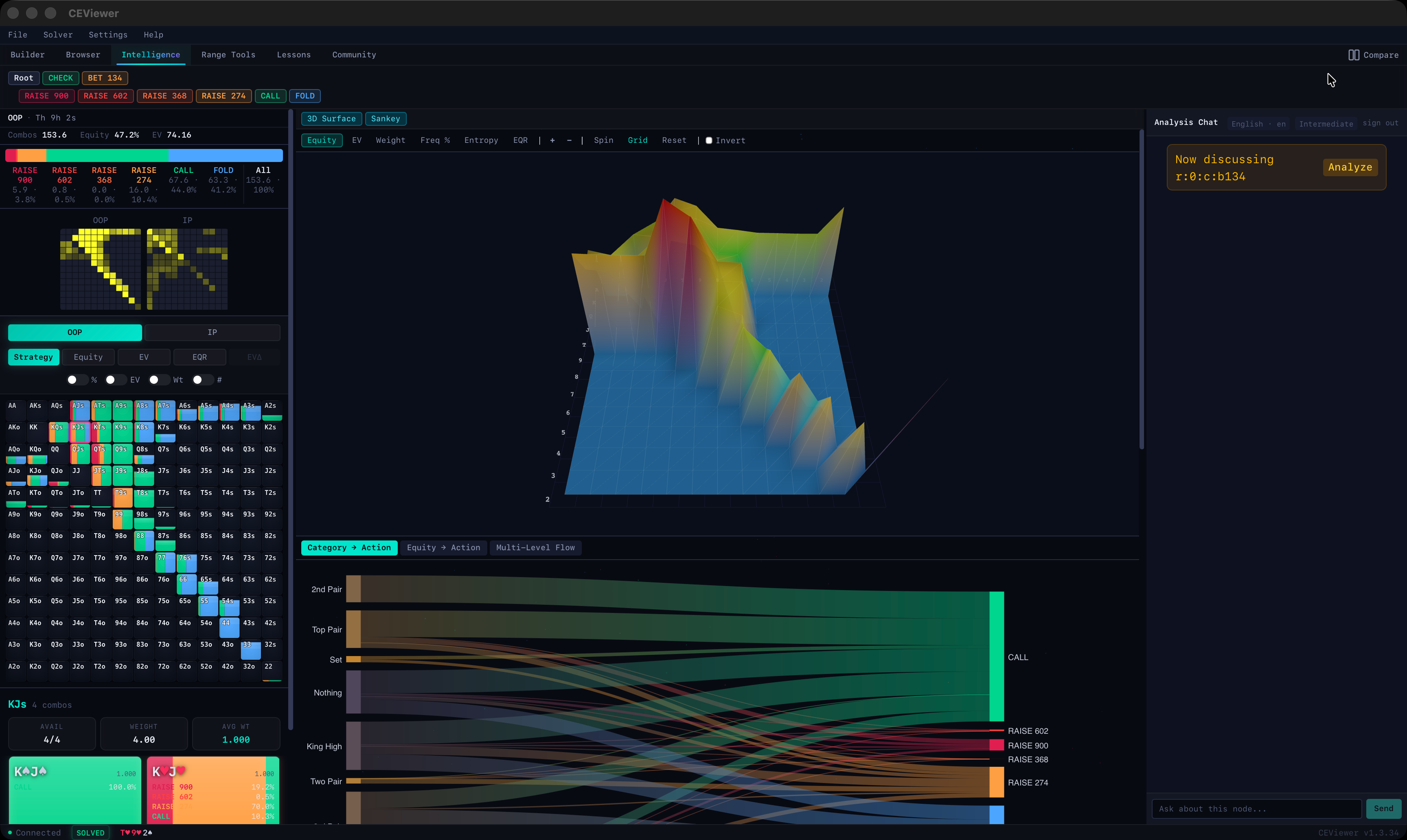
Category → Action
See how each hand strength category distributes across available actions.
Tree Builder
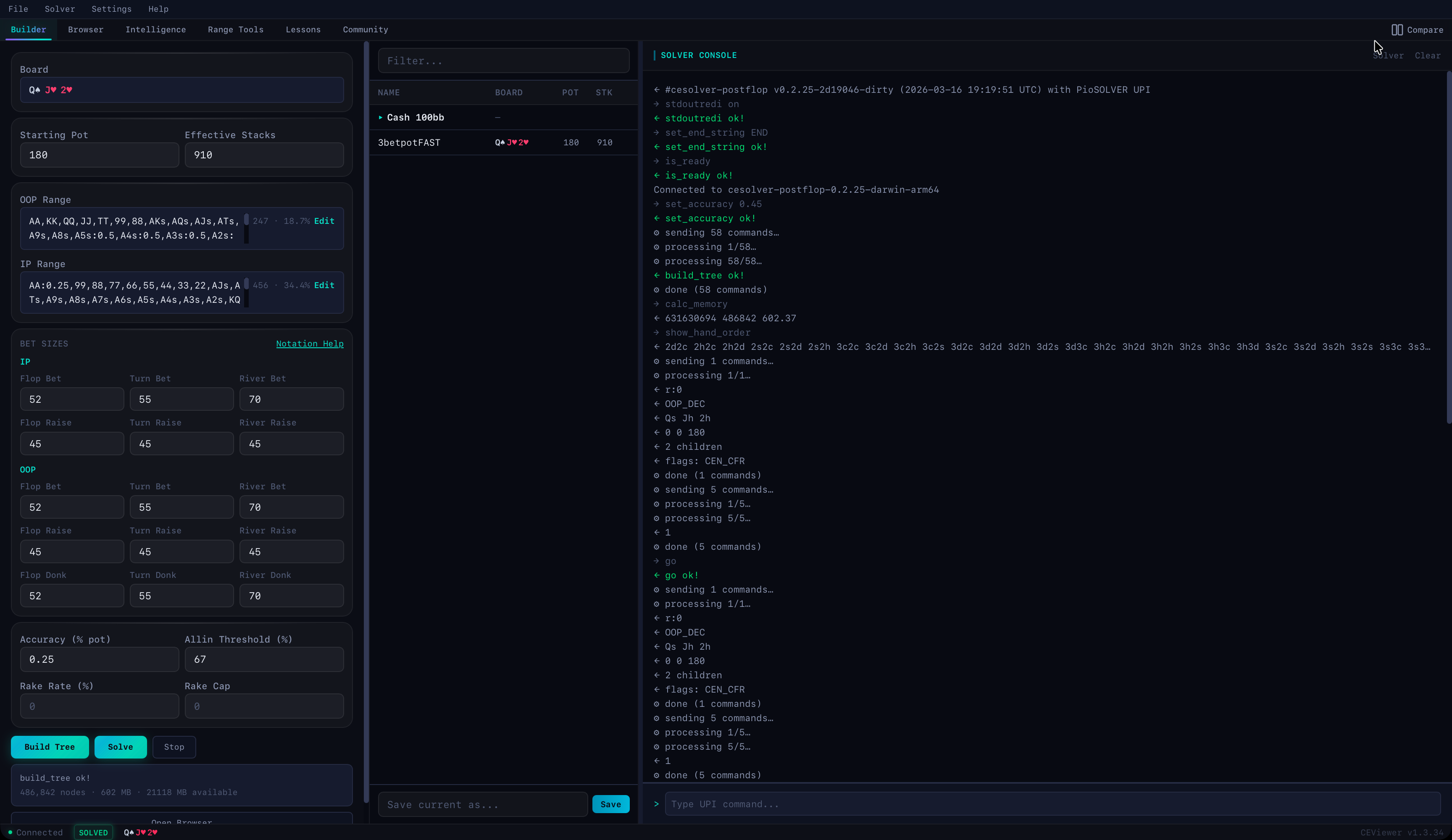
Configure and launch solves without touching a command line. Interactive board picker, full bet sizing control, and live solver status.
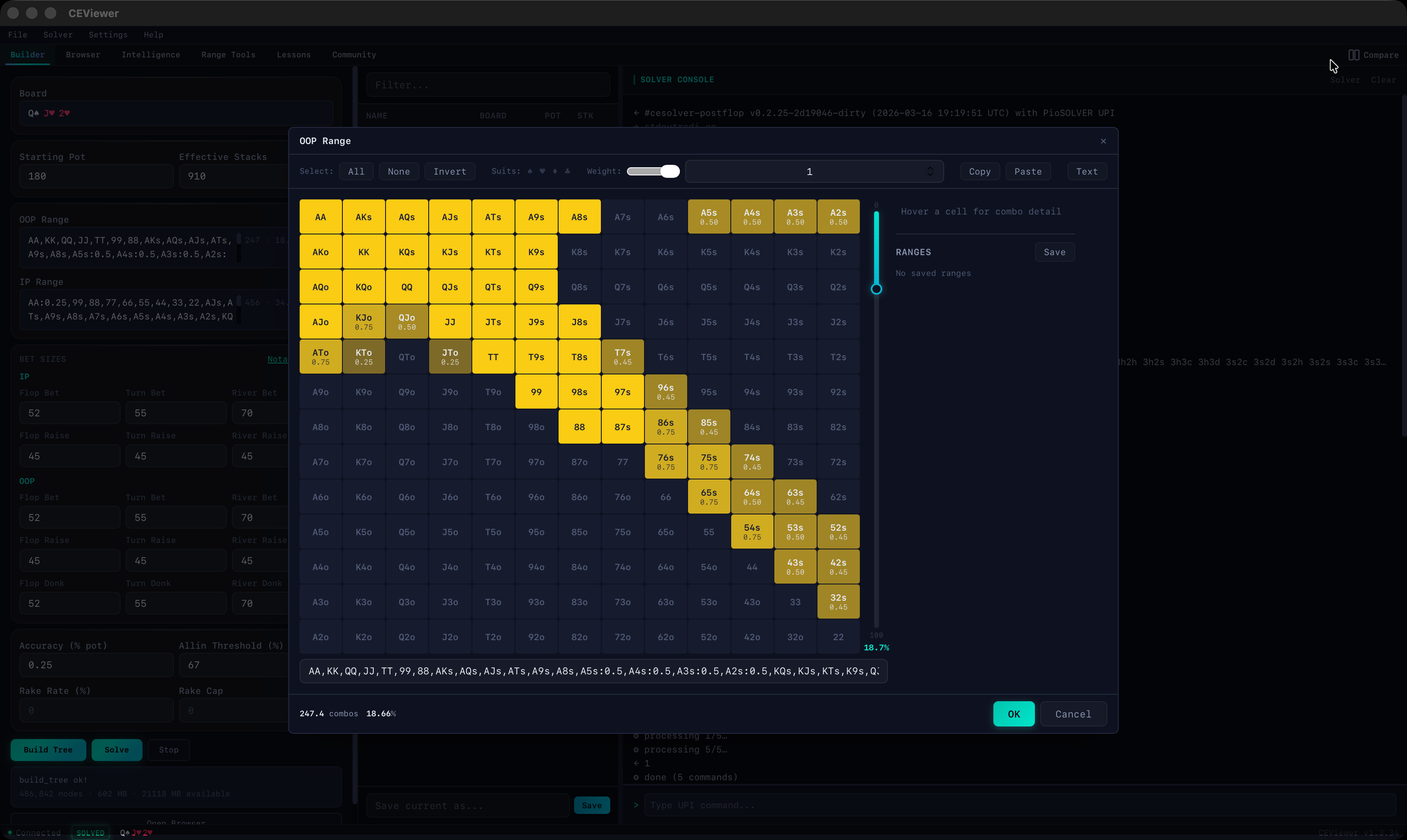
- Visual 13x13 range selector with preset support
- Bet, raise, and donk sizes across all streets
- Accuracy slider — tune precision vs speed
- Rake configuration for cash game accuracy
- Live solver status — Init → TreeReady → Solving → Solved
- Save & load tree configurations
Range Selector
Visual 13x13 matrix for setting both player ranges. Weighted combos, suit filtering, and prebuilt presets for common spots.
- Click and drag to select combos
- Weight slider for partial ranges
- Copy, paste, and text input modes
- Named range macros for instant recall
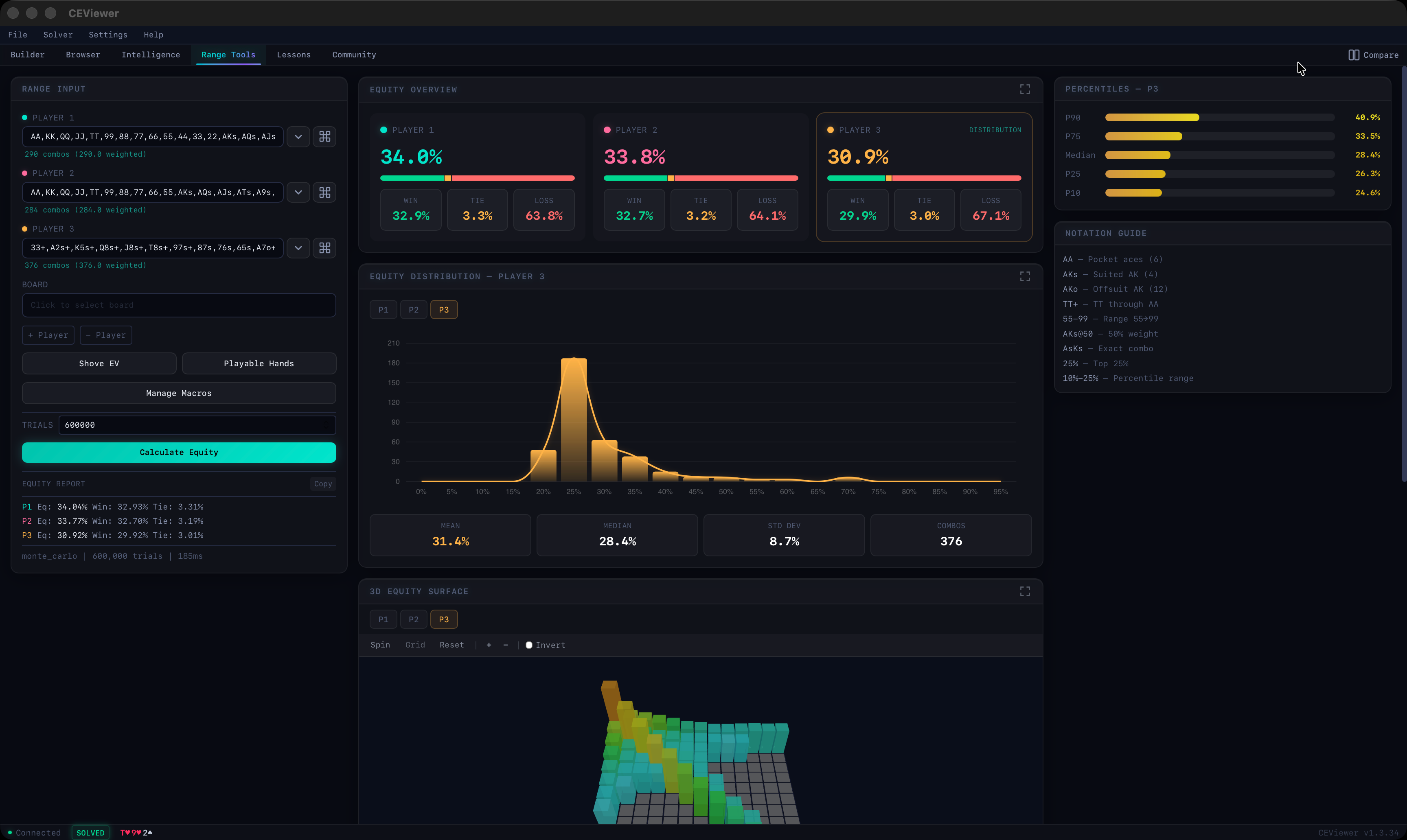
Multi-Player Equity Calculator
2-6 player range-vs-range equity with full distribution statistics. No solved tree needed.
- Equity distribution histograms and curves
- Mean, median, std dev, and combo counts
- Percentile breakdowns (P90, P75, median, P25, P10)
- 3D equity surface per player
- Board support with dead card exclusion
Built for Performance
CESolver is engineered from the ground up for speed, efficiency, and seamless integration with your existing workflow.
Universal Poker Interface (UPI)
Robust, standardized interface for communicating with the solver. Script, automate, and integrate with any tool that speaks UPI.
PioSolver2 Plug-in Compatible
Drop-in compatible with PioSolver2 scripting solutions. Swap your solver engine without rewriting your scripts or workflows.
Ultra-Low MAE
Achieves ultra-low mean absolute error (MAE) versus PioSolver2 at flop nodes using the 3betpotFAST configuration. Near-identical solutions, faster.
Ultra-Compact Storage (Beta)
Full save of 3betpotFAST: 169 MB in CESolver vs 685 MB in PioSolver2. Store 4x more solutions on the same disk.
No Hardware Restrictions
No limits on CPU cores or memory. Use every thread and every byte of RAM your machine has to maximize solving speed.
2 Machines, Transferable
Each license activates on up to 2 machines. Licenses are fully transferable — deactivate one machine and activate another anytime.
Faster convergence vs PioSolver2 on 3betpotFAST
Less memory on 3betpotFAST (447 MB vs 780 MB)
Smaller save files on 3betpotFAST (169 MB vs 685 MB)
Convergence Benchmarks
Solving to 0.01% of the initial pot on board QsJh2h using 3betpotFAST. CESolver reaches equivalent exploitability in ~34 seconds where PioSolver2 requires ~82 seconds — a 2.4x speedup.
Exploitability vs Time (seconds)
CESolver's algorithm can produce brief oscillations during convergence (visible as the spike around ~7s) but recovers quickly and ultimately converges faster. At 7 seconds, exploitability spikes from 0.27 to 1.10 before dropping back to 0.29 within 2 seconds — a trade-off that yields significantly faster overall convergence.
Under the Hood
Side-by-side solution comparison and CPU utilization during solve. CESolver is optimized for memory locality and AVX2 instruction sets, yielding ~10% better CPU utilization across all threads.
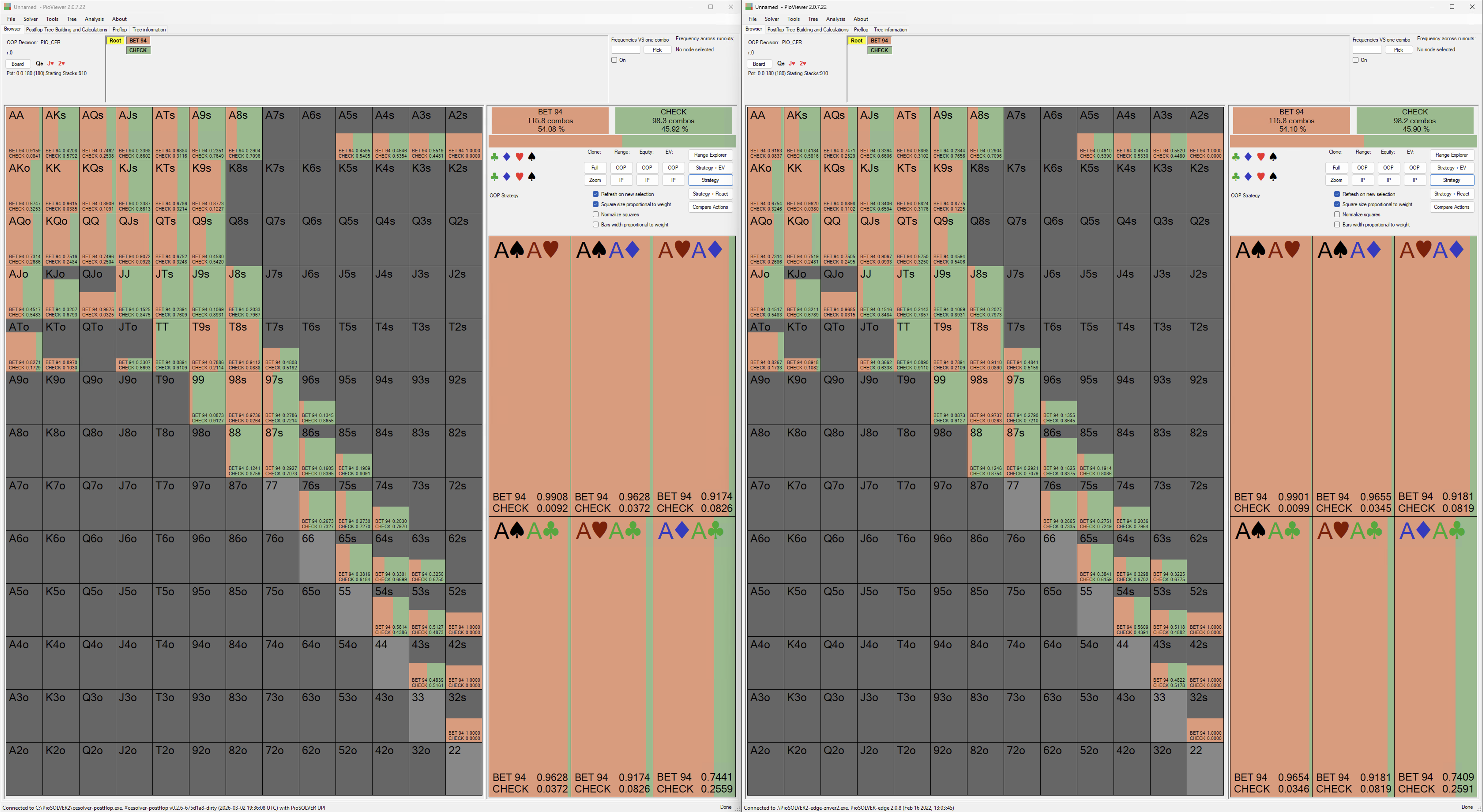
Solution Comparison
Side-by-side strategy output: CESolver (left) vs PioSolver2 (right). Near-identical frequencies across all actions at flop nodes.
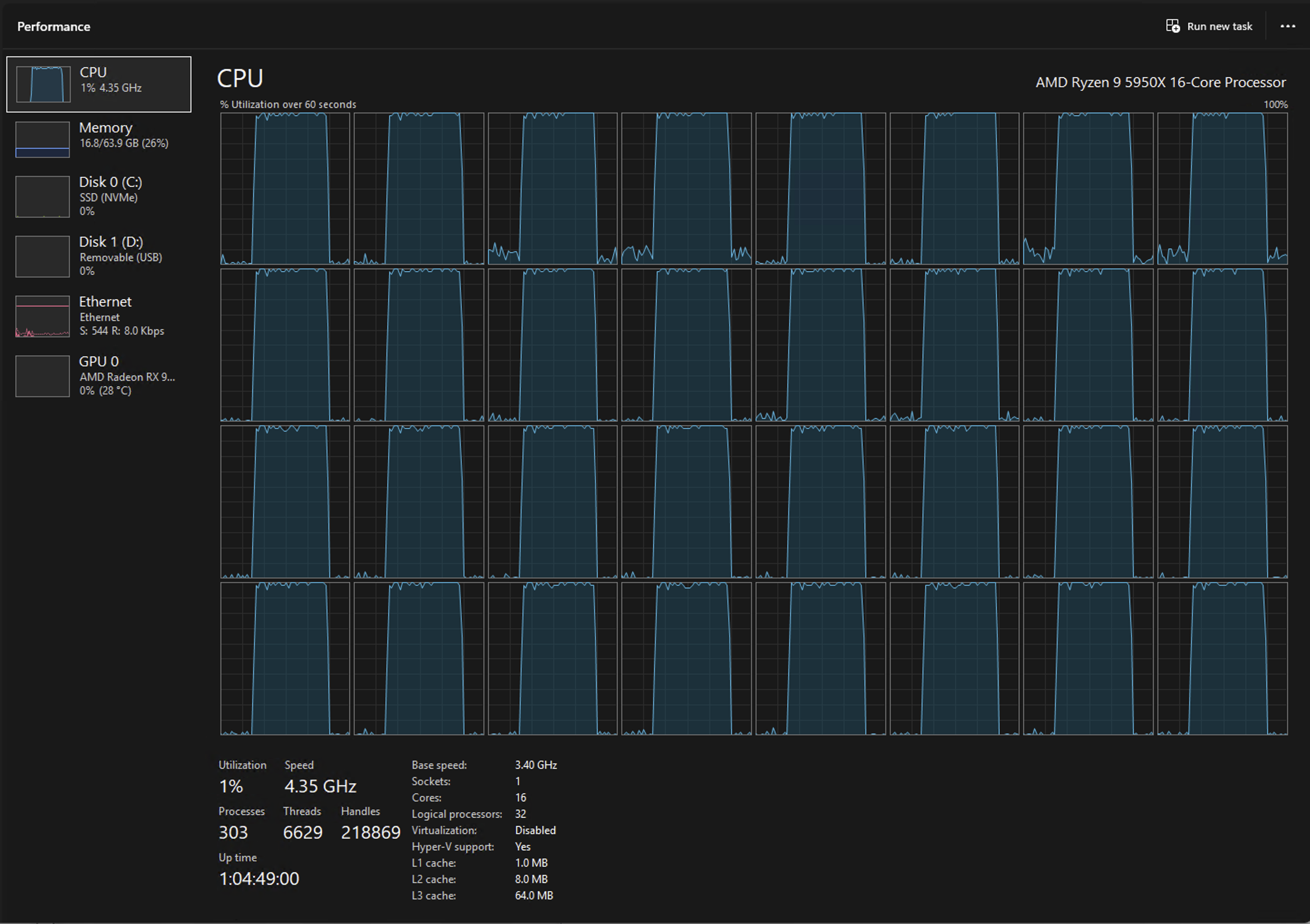
CESolver CPU Usage
Optimized for memory locality and AVX2 instruction sets, delivering ~10% better CPU utilization on our AMD Ryzen 9 5950X (16-core / 32-thread). Tighter memory access patterns keep all cores fed.
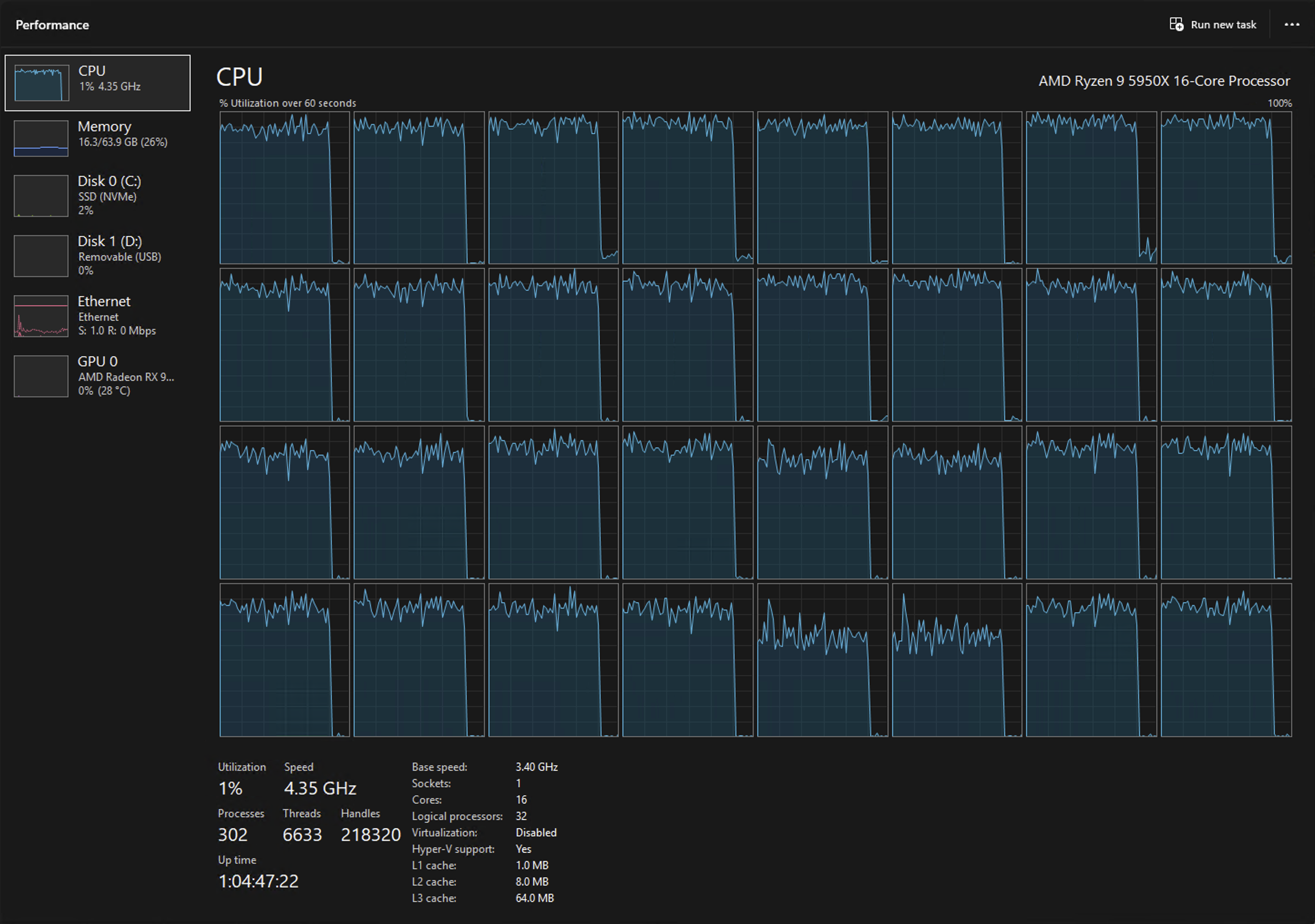
PioSolver2 CPU Usage
PioSolver2 on the same AMD Ryzen 9 5950X (16-core / 32-thread). More idle gaps visible across threads due to less optimized memory access patterns.
Resource Efficiency
CESolver uses significantly less memory and disk space than PioSolver2 on the same 3betpotFAST configuration.
Built-in Strategy Browser
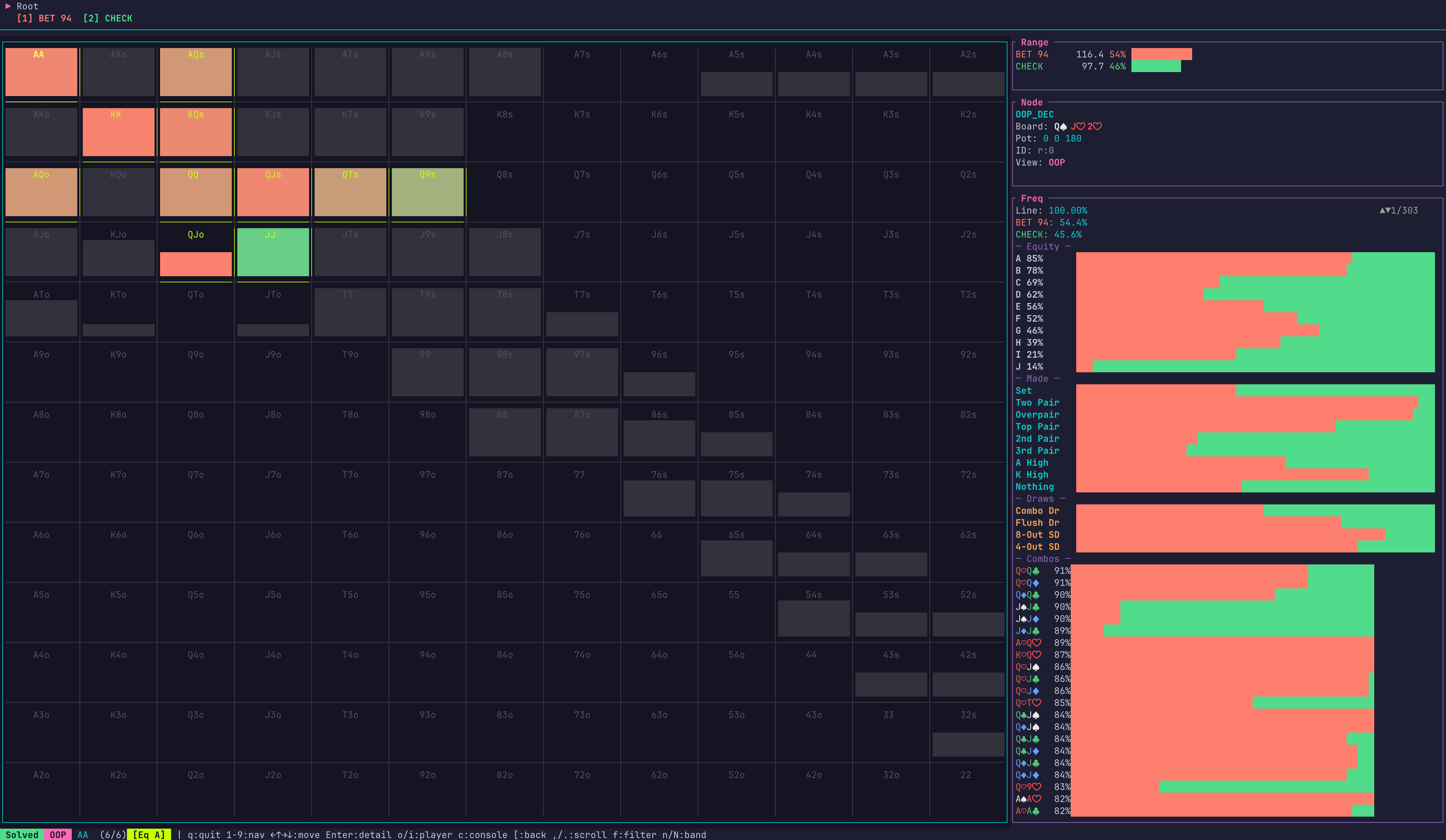
Navigate strategy and equity directly in the terminal — no external viewer needed. CESolver includes a full TUI for browsing solved game trees.

Strategy Frequencies
Color-coded hand grid showing bet/check frequencies with range breakdown and hand category stats.
Alternate Strategy Views at Node
Toggle between strategy frequencies and equity views at any node to analyze from multiple angles.
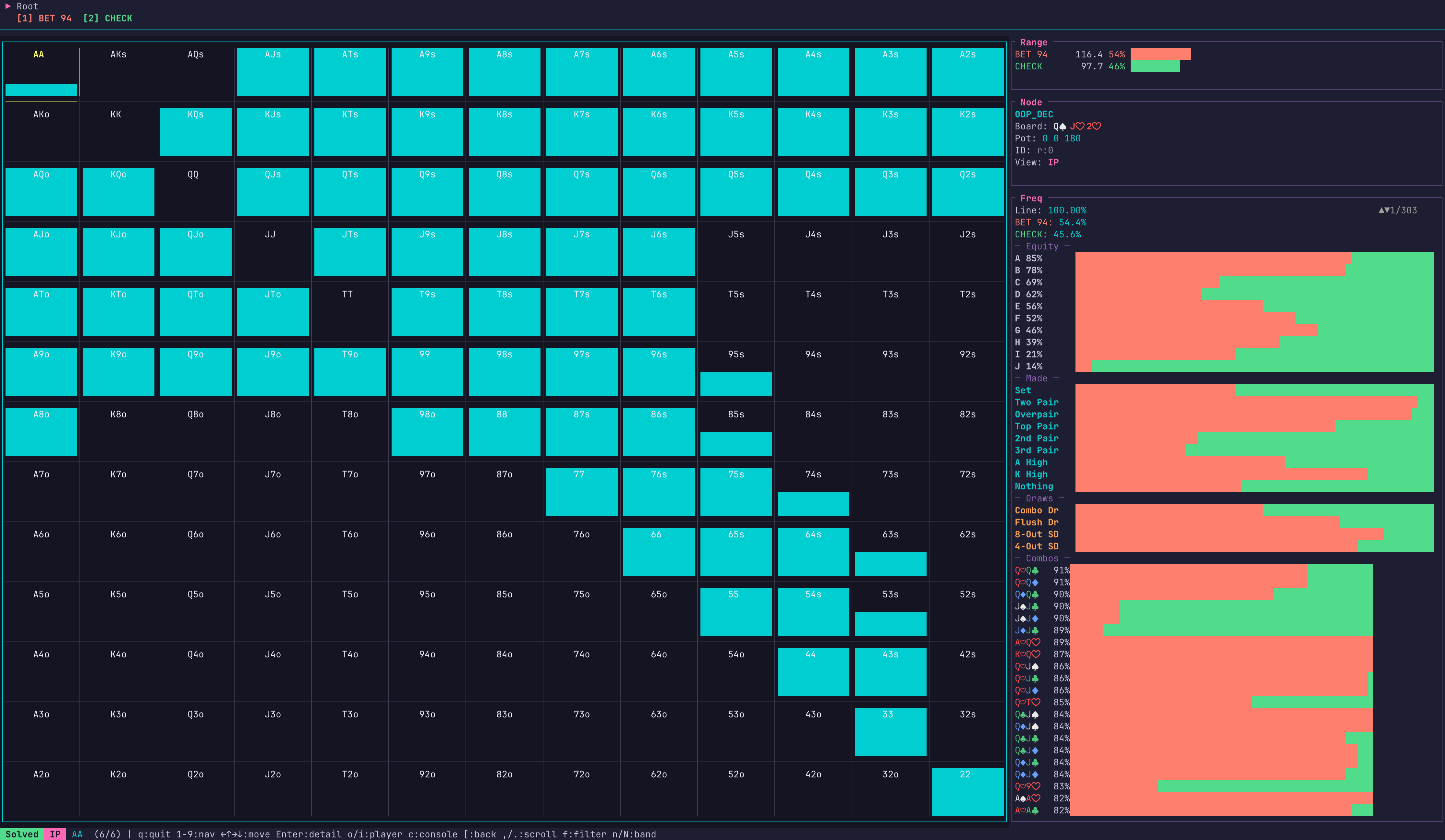
OOP & IP Perspectives
Switch between OOP and IP perspectives instantly to see both sides of the strategy.
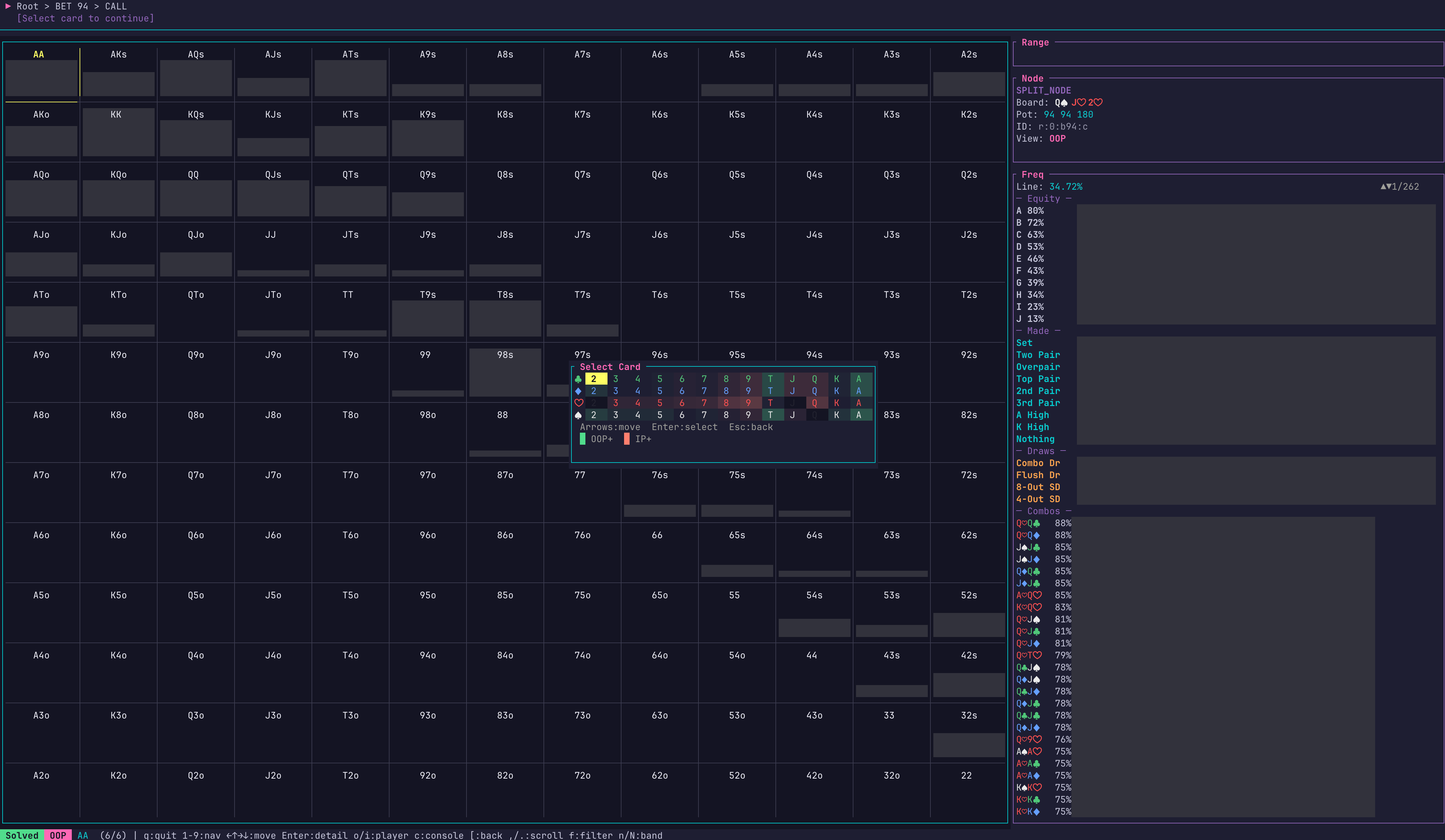
Interactive Card Selector
Pick turn and river cards to navigate runouts. Keyboard-driven for fast exploration.
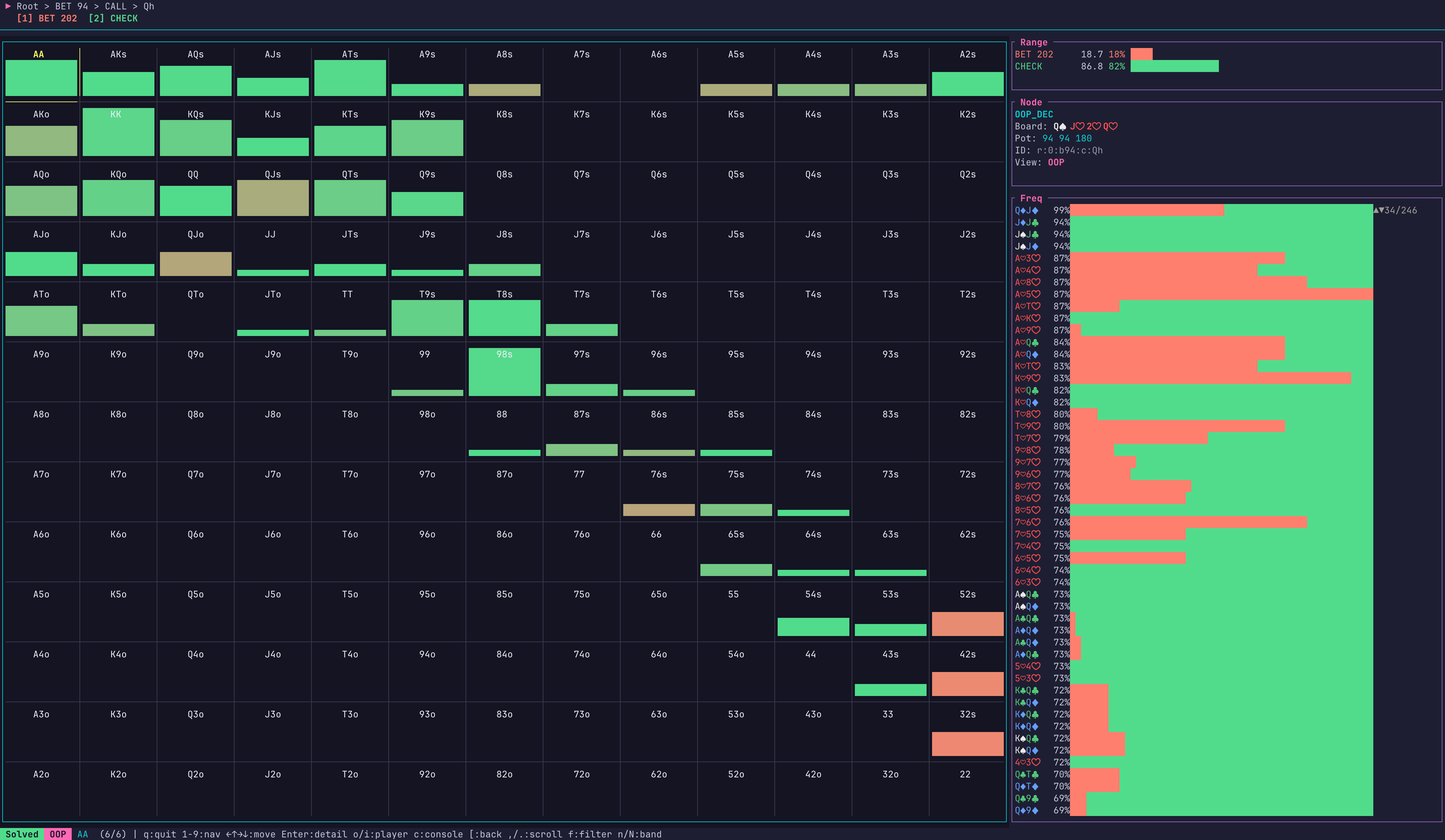
Multi-Street Navigation
Drill into any line — bet, call, check — and explore strategy across all streets from flop to river.
Beta - Known Limitations
- Requires Windows OS and a CPU with AVX2 instruction set.
- CESolver is in beta. ICM tables are not yet supported. Core solving, node locking, file saving, and most other PioSolver2 functions are supported.
- Integration with our AI chat and coaching services is in progress.
- Ultra-compact storage format is in beta and subject to format changes.
- Usage of CESolver with PioViewer requires a valid PioSolver2 license. Please consult piosolver.com terms and conditions for details.
- Questions before purchase? Contact hello@casinoengineer.com
Stay Updated
Get notified about new features, performance updates, and releases.